
How much did I sell today?
Keep sales records together and read the report for the period you need.
SalesSample preview
Bring sales, purchases, stock, payables, receivables and cash flow into one organized place. See your numbers more clearly before your next decision.
A clear place to start. A plan that fits your business.
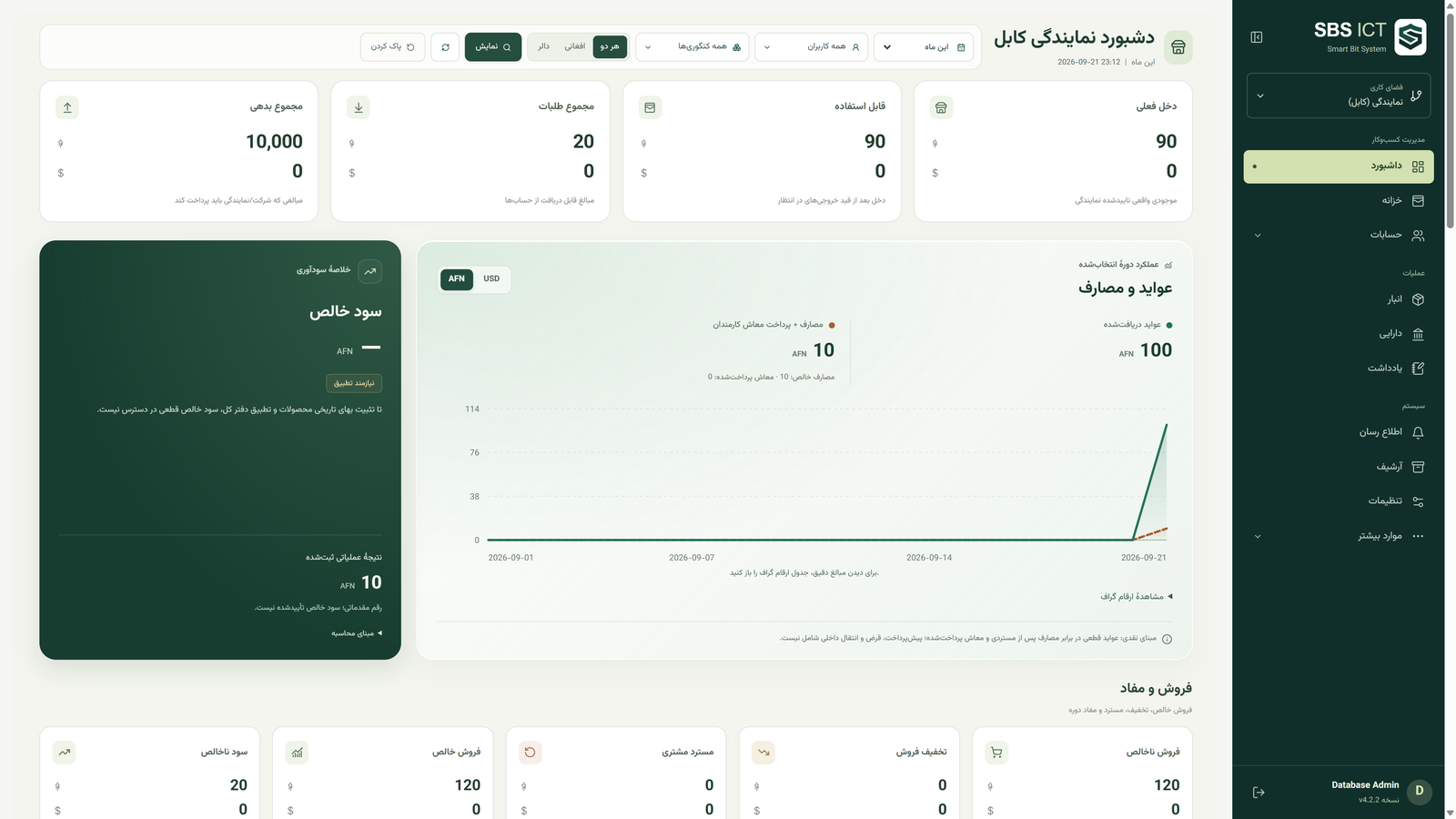
SBS ICT dashboard screenshot. Available screens depend on the product version.
 KAIHAN TechnologyKAIHAN
Accounting & business management
Access matched to responsibilitiesKeep sales records together and read the report for the period you need.
See receivables and payables separately, with a clearer view of each account.
Follow money received and paid, alongside stock movements. Cash received is not the same as profit.
Practical tools for the records and decisions behind your business.
Record transactions and invoices, and return to their history.
Keep track of the balances of the people you trade with.
Follow money coming in and going out.
Track goods received, issued and remaining in stock.
Read financial reports without confusing revenue, cash and profit.
Manage accounts within the branch structure supported by your version.
Match access to each person’s responsibility.
Manage assets and equipment in the versions that support them.
Capabilities depend on the SBS version. We help you confirm the right version before setup; plan capacities are shown below.
Clothing, mobile and computer shops, cosmetics and supermarkets: discuss the SBS Store version for sales and stock.
Bring customer balances, income, expenses and treasury records into order.
Discuss the relevant SBS version and its equipment and account workflows. ISP features do not apply to every version.
Compare monthly records, users and branch capacity.
Send your selected plan and needs to the SBS team.
After arranging setup, begin using the version that fits your work.
Start with the free plan and choose the capacity that fits your business.
Users, branches and monthly records are tailored to your requirements. We determine the price after reviewing your request.
All listed prices are in USD for one month. The Custom plan is paid and quoted after reviewing your requirements.
| Plan | Monthly price | Monthly records | Users | Branches |
|---|---|---|---|---|
| FreeFree | 0 USD / month | 300 | 1 | 1 branch |
| StartStart | 4 USD / month | 2,000 | 2 | 1 branch |
| StandardStandard | 9 USD / month | 10,000 | 4 | Panel + 2 branches |
| BusinessBusiness | 14 USD / month | 50,000 | 8 | Panel + 3 branches |
| EnterpriseEnterprise | 19 USD / month | 100,000 | 16 | Panel + 6 branches |
| CustomCustom | Priced for your needs | Based on your needs | Based on your needs | Based on your needs |
KAIHAN TechnologyKAIHANSBS is a product of KAIHAN Technology. Talk to our team about the version and capacity your business needs.
Smart Bit System is an accounting and management system by KAIHAN Technology. The available capabilities depend on the product version.
Compare the monthly record limit and the user and branch capacities. Contact us if you need help matching these to your work.
The Free plan costs 0 USD per month and includes 300 monthly records, 1 user and 1 branch. It is a separate plan, not a trial period.
Enterprise costs 19 USD per month with 100,000 monthly records, 16 users and a panel + 6 branches. Custom has agreed capacities and a price quoted for your needs.
Yes. Fixed prices are in USD for one month. Custom pricing is determined after a review of your requirements.
Choose a plan and continue to WhatsApp, or contact us by phone or email. We will discuss setup; clicking a contact link does not activate an account.
SBS has a web interface accessible from a phone or computer. Discuss the appropriate version and internet requirements with our team.
Contact our team to confirm record counting, quota reset timing, upgrade conditions and backup arrangements for your version before selecting a plan.
Choose a plan, share what you need, and talk directly with the SBS team.
This prepares a message in WhatsApp. You review and send it yourself; no request is submitted on this website.